9 Things We Built Into Our Website That Got Us Rated 8.5/10 for GEO by ChatGPT
·
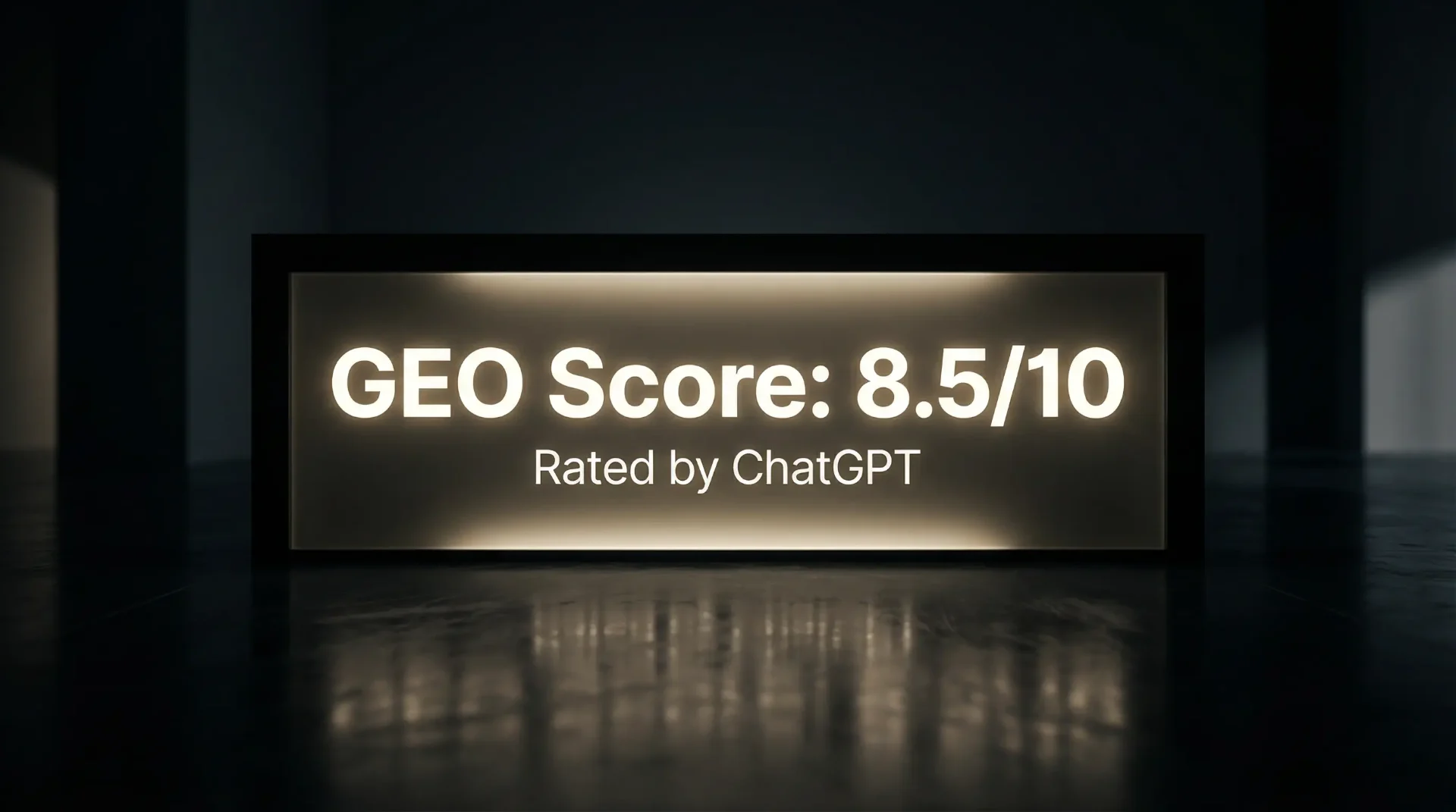
1. We Asked ChatGPT to Score Our Website
Here's how this started. We'd just finished rebuilding our own site — not a redesign, a proper rebuild from the ground up. New structure, new content, new approach to how we deliver pages to search engines and AI tools.
We wanted to know if it worked. Not in theory. Not "we think this should help." We wanted an honest answer from the thing we'd built the site for.
So we opened ChatGPT and typed: "Analyse the website wonderworksdesign.net and tell me what SEO and AI search features are built into it."
It didn't give us a polite summary. It went through our site piece by piece. It found our sitemap, our structured data, our content architecture. It read our service pages, our case studies, our blog. It checked our multilingual setup. It found files on our site that most web designers don't know exist.
Then it scored us.
>
"I'd score Wonder Works Design 8.5/10 for GEO. It's unusually well prepared for generative search, with clear structure, AI-friendly content formatting, and technical signals that make the site easier for language models to interpret and surface."
We didn't pay for that review. We didn't prompt it to be nice. We asked a direct question and got a direct answer — which, as it turns out, is exactly how GEO works.
This post breaks down what we did. All 9 things. Written the way we'd explain it to you if we were sitting across a table. Some of it is technical. Most of it isn't. All of it is stuff that most businesses — and most agencies — haven't started doing yet.
If you've never heard of GEO, the next section is for you. If you already know what it is, skip straight to scrollTo('the-9-things-we-built-in')} className=>the 9 things.
2. What Is GEO and Why Should You Care?
You've probably heard of SEO. Search Engine Optimisation. It's been around for decades — the practice of making your website show up when someone searches on Google. Most business owners have at least a vague understanding of it, even if they've never done much about it.
GEO is different. It stands for Generative Engine Optimisation, and it's about something that didn't really exist two years ago.
Here's what's changed. More and more people aren't Googling things anymore — or at least, not only Googling. They're asking AI. They open ChatGPT and type "find me a good web designer in Europe." They use Perplexity to research restaurants near them. They see Google's own AI Overviews summarising answers at the top of search results before they ever click a link.
These tools don't work like Google used to. Google matched keywords. You typed "web designer Bulgaria," and Google looked for pages that contained those words.
AI reads. It visits your website, reads your content, builds an understanding of what your business does, and then decides whether to mention you when someone asks a relevant question. It doesn't match words — it understands meaning.
That's a massive shift, and here's why it matters to you: if your website can't be read by these tools, you're not in the answer. Your competitor is. Not because they're better than you, but because their site was built so AI could understand them and yours wasn't.
GEO is the practice of making sure your site is readable, understandable, and recommendable by AI-powered search tools. It sits alongside SEO — you still need both. But if you're only thinking about Google rankings in 2026, you're missing the bigger picture.
We wrote a full breakdown of this in an earlier post: Your Website Is Probably Invisible to ChatGPT — Why and How to Fix It. If you want the deeper explanation of why this is happening, start there. This post is about what we actually did about it.
3. Most Websites Are Invisible to AI — Including Ours (Before We Fixed It)
We're going to be honest about this because it's the whole point.
Before our rebuild, our site had the same problem that most business websites have. It looked great. Neli's design work is always strong — the colours, the typography, the layout, all of it. A human visiting the site had a beautiful experience.
But under the surface, in the code that AI tools actually read, every page looked the same.
Our homepage, our about page, our services, our contact page, our case studies — when a search engine or AI tool visited any of them, they all returned the same thing: a blank shell with the title "Wonder Works Design | Affordable Web Design, Branding & AI Creative Studio." No page-specific content. No headings. No descriptions. Nothing for AI to read.
We know this because we tested it. We checked what Google was seeing. We checked what ChatGPT was seeing. And the answer was: not much.
This happens because our site — like many modern websites — is what's called a single-page application. The content loads dynamically when a human visits. It looks fast and smooth. But when a bot or AI crawler visits, it doesn't run the code that loads the content. It just sees the empty shell.
Think of it like a shop window. You walk past and see a beautifully arranged display. But if you send someone to take a photo through the glass at night when the lights are off, all they get is a picture of their own reflection. The shop is there. The display is there. But the camera can't see it.
That's what was happening. And it's what's happening to most business websites right now. Especially WordPress sites, template sites, and anything built with a drag-and-drop page builder. The site works fine for humans. It's invisible to AI.
If you're running a WordPress site and you're not sure whether this applies to you, we covered it here: Thinking of a WordPress Website? What Businesses Learn Later.
The rest of this post is about how we fixed it.
4. The 9 Things We Built In
1. An llms.txt File — The AI Business Card Most Agencies Haven't Heard Of
If you take one thing away from this post, make it this.
An llms.txt file is a plain-text document that sits on your website and tells AI tools everything they need to know about your business. Think of it as a combination of a business card, a CV, and a portfolio — written specifically for machines.
Ours is over 4,000 words. It includes who we are (Colin and Neli, Blagoevgrad, Bulgaria), what we do (web design, branding, AI visuals, social media), who we work with (startups, hospitality, founder-led businesses in the UK, US, and Bulgaria), our pricing, our portfolio with results, and direct links to every important page on the site.
When ChatGPT visited our site, this was one of the first things it found. And the information in that file shaped how it described us, what it understood about our services, and what score it gave us.
Most agencies don't have one. Most agencies haven't heard of one. If you asked your web designer about llms.txt tomorrow, there's a very good chance they'd have no idea what you're talking about.
It lives at a simple address — wonderworksdesign.net/llms.txt — and we reference it in our robots.txt so AI crawlers know where to find it the moment they arrive.
2. Making Every Page Readable to AI (The Biggest Technical Fix)
This is the one that changed everything.
As we explained above, our site was serving blank pages to AI tools. Beautiful experience for humans, empty shell for machines. Every page looked the same to every crawler.
We fixed this by building a system that detects when a visitor is a bot — Google, ChatGPT, Claude, Perplexity, Bing, any of them — and serves them a clean, complete HTML version of the page they're requesting. Not a simplified version. Not a stripped-down summary. The full content of the page, with the correct title, the correct description, the correct headings, and all the content a human would see — just delivered in a format machines can read.
Human visitors still get the fast, smooth experience they always did. Nothing changed for them. But now, when ChatGPT visits our about page, it sees "About Wonder Works Design — Senior-Led Creative Studio" with content about our founders, our approach, and our FAQ. When it visits our web design page, it sees our services, our process, our case studies, and our pricing context. Every page has its own identity.
Before this fix, Google was showing the same generic snippet for every page on our site in search results. After the fix, every page started appearing with its own unique title and description.
We're not going to walk through the exact technical implementation here — that's our job, not yours. But the point is: if your site looks the same to a search engine on every page, this is the kind of fix that changes everything. And if your web designer tells you "that's just how modern websites work," that's not true. It's how poorly configured modern websites work.
3. Writing Like a Human, Not Like an Algorithm
This is the one that has nothing to do with code. And honestly, it might be the most important one on the list.
For years, SEO taught businesses to write in a very specific way. You'd research keywords, find the ones with the highest search volume, and then stuff them into your content as many times as possible. "Best web designer Bulgaria affordable custom website design services" — that kind of thing. Awkward. Unnatural. Written for a machine, not for a person.
GEO turns that completely on its head.
AI tools don't match keywords. They read. They understand context, tone, and meaning the same way a person does. When ChatGPT reads your website, it's not counting how many times you said "web design." It's understanding what you do, how you do it, who you do it for, and whether you sound like you actually know what you're talking about.
That changes how you need to write. You don't need to repeat your keyword seven times in a paragraph. You need to explain what you do clearly, confidently, and naturally — like you'd explain it to someone sitting across from you in a coffee shop.
"We build websites. Custom-coded, not templates. They're fast, they look great, and they're built so people can actually find you — on Google and on AI tools like ChatGPT. We work with small businesses, mostly in the UK, the US, and Bulgaria. Two of us, no juniors, no outsourcing."
That paragraph doesn't contain a single traditional "target keyword." But it tells AI everything it needs to know about our business in about five seconds of reading. That's the shift. Stop writing for algorithms. Start writing for comprehension.
This is how we write everything — our service pages, our blog posts, our case studies, this post. It's not a technique. It's just how you'd talk to someone if they asked you what you do. The problem is that years of SEO advice trained everyone to write like a robot, and now the robots are asking you to stop.
We think about it this way: if you read your own website out loud and it sounds like something a person would actually say, you're doing it right. If it sounds like a brochure written by a committee, AI is going to treat it the same way a human would — skim it, learn nothing, and move on.
4. Writing Content That Actually Answers Questions
This is connected to writing naturally, but it's a specific discipline.
AI tools are answer engines. Someone asks a question, AI finds the best answer, and delivers it. If your content directly, clearly answers a real question — the kind of question your customers actually ask you — AI will use it. If your content dances around the topic, uses vague language, or avoids committing to a specific answer, AI will find someone else.
Here's an example. Someone asks ChatGPT: "How much does a website cost?"
A lot of agency websites answer that question like this: "Website pricing varies depending on a number of factors including scope, complexity, and your specific requirements. Contact us for a personalised quote."
That's not an answer. That's a deflection. AI reads it, learns nothing, and moves on.
Our site says: "Projects start from €500 for simple sites to €2,000+ for complex builds. Most websites launch within 10 days."
That's an answer. AI can use that. It can tell someone: "Wonder Works Design builds websites starting from €500, with most launching in 10 days." Specific, citable, useful.
Think about the questions your customers ask you every week. "Do you deliver to the UK?" "How long does it take?" "Can I pay monthly?" "Do I need to come to your office?" Whatever they are — answer them directly, on your website, in plain language. Don't make people dig. Don't make AI dig either.
5. FAQs Written Like Real Conversations
Every service page on our site has a FAQ section. But these aren't the kind of FAQs you usually see on business websites — you know the ones. "Why should I choose [Business Name]?" followed by three paragraphs of marketing copy about how amazing they are.
Our FAQs are real questions that real clients have asked us, answered the way we'd actually answer them.
"Do you use WordPress?" — "No. We build everything with clean, modern code. No WordPress, no page builders, no plugins. That's why our sites are faster, more secure, and easier to maintain."
"Can I update the site myself?" — "Not the code — and that's a good thing. It's what keeps your site fast, secure, and working properly. But if you need to upload products or publish blog posts yourself, we build a simple admin panel for that."
"Do we need to have a call?" — "Not unless you want to. Most of our projects are completed entirely over email or messaging."
Read those out loud. They sound like a person talking. That's the point.
These FAQs also carry schema markup — a technical label that tells Google and AI tools "this is a question and this is the answer." When Google crawled our about page, it immediately detected and validated the FAQ markup. That means Google can show these directly in search results, and AI tools can extract them as ready-made answers.
But the schema isn't what makes them work. What makes them work is that they sound human. AI can tell the difference between a genuine answer and a marketing-wrapped non-answer. Write like you're actually helping someone, and AI will treat your content as actually helpful. It's not more complicated than that.
6. Telling AI Exactly Who You Are (Not Hoping It Figures It Out)
Here's something most business owners don't think about: AI tools don't automatically know what your business is. They have to figure it out by reading your site. And if you don't make it easy, they'll either get it wrong or say nothing at all.
We experienced this firsthand. When we asked the free version of ChatGPT "who are Wonder Works Design," it didn't give our answer first. It gave the answer for a completely different company — a Broadway set design firm in New York called Wonder Works Design, LLC. We had to specifically say "the one in Bulgaria" before it found us.
That happened because the other company had stronger signals at that point. More mentions across the web, clearer entity definition.
So we made sure our site leaves no room for confusion. We use structured data — a standardised way of telling AI tools the facts about your business in a format they can read instantly. Ours says: this is an organisation called Wonder Works Design, based in Blagoevgrad, Bulgaria, founded by Colin and Neli, offering web design, branding, AI visuals, and social media management, serving clients in the UK, US, and Europe.
That's not buried in a paragraph somewhere. It's written directly into the code of the site in a format called schema markup. AI doesn't have to interpret it or guess. It reads it as fact.
If you're a business with a common name, or a business in a competitive space, or a business that operates in multiple countries — this is not optional. You need to tell AI who you are. Clearly. Repeatedly. Consistently.
7. Saying the Same Thing Everywhere
This sounds simple. It is simple. But almost nobody does it.
Your homepage says you're a "creative agency." Your about page says you're a "design studio." Your LinkedIn says you're a "digital consultancy." Your Google Business listing says you're a "marketing company." Your Instagram bio says "we make brands look good."
To a human, those all roughly mean the same thing. To AI, they're five different descriptions that don't quite match. And when AI encounters inconsistency, it loses confidence. It's less likely to recommend you because it's not sure what you actually are.
We keep our language consistent everywhere. Wonder Works Design. Marketing agency. Blagoevgrad, Bulgaria. Colin and Neli. Web design, branding, AI visuals, social media. Startups, hospitality, founder-led businesses. UK, US, Bulgaria. The same words, every time, everywhere.
That's not a branding rule — it's a GEO signal. Every time AI sees the same description from a different source, it gets more confident in its understanding of you. And confidence is what leads to recommendations.
8. Using Real Case Studies with Real Numbers
We publish case studies for our projects — not "we designed a logo" case studies, but documented stories with context, approach, and results.
Darleys Brasserie: complete restaurant rebrand delivered in under 30 days. 101K+ organic social media impressions in the first month.
Hotey.bg: 9× organic growth in social media reach with zero ad spend.
Sofia Hair Summit: brand identity and event website launched from scratch, achieving 10× organic Instagram reach in 96 hours.
These aren't vague claims. They're documented, specific, and tied to real businesses that exist and can be verified. AI loves this. It gives it something concrete to cite when someone asks "what results has this agency achieved?"
If you have results, publish them. Don't say "we helped a client grow their social media." Say "we grew their Instagram reach 9× in 90 days with zero ad spend." One is a claim. The other is a fact. AI knows the difference.
9. Keeping the Front Door Open
This is the simplest one, and the one that surprises most people.
Your website has a file called robots.txt. It's a set of instructions that tells search engines and AI crawlers what they're allowed to access. Some websites — either intentionally or by default — block AI tools from reading their content.
We don't. Our robots.txt explicitly allows access to every AI crawler — GPTBot, Google-Extended, ClaudeBot, PerplexityBot, all of them. We also point them directly to our sitemap and our llms.txt file so they know exactly where to go.
Some publishers block AI crawlers for copyright reasons, and that's their right. But if you're a service business trying to get found, blocking AI crawlers is like locking your shop door and wondering why you have no customers. Open the door. Let them in. Let them read.
5. What We Didn't Score Full Marks On
We got 8.5. Not 10. And we think it's worth being honest about why.
ChatGPT flagged three gaps.
We don't have a big backlink profile. We're a two-person studio in Blagoevgrad, not a London agency with a PR team. We don't have hundreds of sites linking to us. That matters for authority signals — how confidently AI recommends you over someone else. We're building it. Directory listings on Clutch, DesignRush, GoodFirms. Founder profiles. Guest content. It takes time.
We don't have a huge content library. This is our eighth blog post. That's a solid start, but it's not the kind of depth that makes AI treat you as a definitive authority on a topic. More posts means more entry points, more questions answered, more reasons for AI to cite you. This post is part of that plan. There'll be more.
We need more external mentions. AI doesn't just read your site. It reads the whole internet. If other sites mention your business, that reinforces AI's confidence in you. Reviews, press, directory listings, social mentions — they all count. We need more, and we know it.
We're not trying to pretend we've cracked it completely. We're a small studio that scored 8.5/10 against criteria that most businesses score 2 or 3 on. The gaps are real, and we're working on them. But the foundations are in place, and that's what this post is about — building the foundations right.
If we only talked about what we're great at, you'd wonder what we're hiding. We'd rather show you the full picture and let you judge the direction.
6. What Happened When We Tested on the Free Version of ChatGPT
We have to tell you this because it's important context.
Everything above — the 8.5/10 score, the detailed analysis, the page-by-page breakdown — that came from ChatGPT Pro. The paid version. The model that actually crawls websites and reads them.
We also tested on the free version. In an incognito browser window, no login, no history. The same kind of experience most people would have.
The results were completely different.
We asked "who are Wonder Works Design" and the free version confidently told us about a Broadway set design company in New York. Not us. A completely different business. We had to say "sorry, the one in Bulgaria" before it found us — and even then, the description it gave was vague, partly inferred, and mixed with information from what looked like an old job listing we'd posted.
We asked for a GEO analysis and got a generic template full of "likely," "probably," and "inferred." It guessed we had "limited content" (we have seven blog posts with cited data). It assumed we had "no FAQ schema" (Google had already validated ours). It scored us 5/10 based on what it thought a small agency site probably looks like, without actually reading ours.
Same site. Same day. Completely different results.
What does this tell you?
First — the quality of AI responses depends on the model. Free tools give surface-level guesses. Better tools dig deeper and give accurate answers. The people making real decisions — choosing an agency, picking a restaurant, hiring a professional — are increasingly using the better tools, or they're seeing Google's AI Overviews, which also read deeply.
Second — and this is the more important point — the infrastructure you build determines whether any model, at any level, can find you at all. Both versions had access to our site. The Pro version read it. The free version didn't bother. But if there had been nothing to read in the first place, even the Pro version would have given us a generic answer.
You build the infrastructure for the best-case scenario. The tools are getting better every month. What the free version can't do today, it'll do in six months. When it catches up, your site needs to be ready.
7. How We Build Every Client Site the Same Way
Everything in this post — every one of the 9 things — isn't a premium add-on. It isn't an upgrade. It isn't something we sell separately.
It's standard. In every website we build. For every client.
Every site we deliver at Wonder Works Design ships with an llms.txt file, AI-readable content delivery, FAQ schema, structured data, consistent entity signals, natural-language content, answer-worthy copy, documented case studies, and an open robots.txt. It's all there from day one.
We do this because we think it's irresponsible not to. AI search isn't coming — it's here. More people are asking AI for recommendations every day. Building a website in 2026 without GEO is like opening a shop and forgetting to put your name above the door. Everything inside might be brilliant, but nobody walking past knows you exist.
Our sites are also designed by Neli — a senior designer, not a template engine. They're custom-coded, not WordPress. They launch in days, not months. They cost a fraction of what most UK and US agencies charge. And they come with 12 months of hosting and minor changes included in the build price.
If that sounds like something your business needs, the easiest thing to do is just tell us about it. No pitch. No sales call. Just a conversation — or a message, if you'd rather not talk. Most of our projects are completed without ever picking up the phone.
8. What You Can Do Right Now
You might not be ready to rebuild your website. That's fine. But you can check a few things today — in less than ten minutes — and they'll tell you more about your AI visibility than most agencies could in a paid audit.
Ask AI about your business. Open ChatGPT, Perplexity, or Claude and ask: "What do you know about [your business name]?" If it doesn't know you, or gets the details wrong, or confuses you with someone else — that's your GEO score in real time.
Check if your pages look different to Google. Type site:yourdomain.com into Google. Look at the results. Does each page have its own unique title and description? Or do they all show the same generic snippet? If they all look the same, AI tools see the same problem.
Read your own website out loud. Open your homepage and read it to yourself like you're talking to a customer. Does it sound like something you'd actually say? Or does it sound like a marketing brochure? If you wouldn't say it in conversation, AI tools aren't going to find it particularly useful either.
Check if you have an llms.txt. Type yourdomain.com/llms.txt into your browser. If you get a blank page or an error, you don't have one. You now know more about GEO than most web designers.
Check if your front door is open. Type yourdomain.com/robots.txt into your browser. If there's nothing there, or if it blocks AI crawlers, you've got a problem you didn't know about.
Five checks. Ten minutes. And you'll know exactly where you stand.
9. FAQ
10. Try It Yourself
You've read all of it. The theory, the practice, the score, the gaps, the honest bits.
Now test it.
Open ChatGPT, Perplexity, or Claude and type:
"Analyse the website wonderworksdesign.net and tell me what SEO and AI search features are built into it."
See what comes back. Then do the same for your own website. Compare the two.
If you're happy with what AI says about your business — great. Keep going.
If not — you know where to find us.
FAQ
What is GEO?
GEO stands for Generative Engine Optimisation. It means making your website readable and recommendable by AI-powered search tools — ChatGPT, Google AI Overviews, Perplexity, Claude, and others. SEO gets you found on Google. GEO gets you found everywhere people are asking AI for answers.
Is GEO replacing SEO?
No. It builds on top of SEO. You still need to show up on Google. But you also need to show up when someone asks ChatGPT for a recommendation, and that requires things traditional SEO doesn't cover — like an llms.txt file, structured entity data, and content written for comprehension rather than keyword matching.
Does my WordPress site work with AI search?
In most cases, not well. WordPress sites tend to serve heavy, plugin-loaded code that AI tools struggle to read cleanly. It's not impossible to make a WordPress site AI-readable, but it's significantly harder than building for it from the start.
How do I check if ChatGPT knows about my business?
Open ChatGPT and ask it. Be direct: "What do you know about [your business name]?" Then ask: "Analyse [your website URL] and tell me what you find." Compare the answers to what's actually on your site. If the AI doesn't know you, or gets it wrong, your site isn't AI-readable.
What is an llms.txt file?
It's a plain-text file on your website that gives AI crawlers a structured summary of your business — who you are, what you do, who you serve, and where to find your key pages. Think of it as a cheat sheet for machines. Most websites don't have one. It's one of the simplest and most effective GEO improvements you can make.
How long does GEO take to show results?
The technical changes work immediately — once your site is properly built, AI tools can read it the next time they visit. But being recommended (not just readable) takes longer. It depends on how much content you have, how many other sites mention you, and how often AI tools recrawl your site. Weeks to months for meaningful shifts, not days.
How much does it cost to make my site AI-ready?
If we're building your site from scratch, GEO is included as standard — no extra charge. If you have an existing site that needs retrofitting, it depends on what you're working with and how much needs to change. Send us a message and we'll be honest about what's involved.
Who are Colin and Neli?
They are the founders of Wonder Works Design. Colin handles strategy, content, and commercial direction. Neli handles design and creative. Between them, they handle every project from first message to launch. No juniors, no outsourcing, no middle layer.